Controller-first gaming utility for Windows.
Turn your gaming PC into couch mode.
Turn on your controller and CouchMode opens your chosen gaming experience, prepares the session around your preferences, and brings you back to a usable desktop when you’re done. CouchMode is free to use. All features included.
Windows 11 · 64-bit
The gap
Windows works.It just wasn't built for the couch.
Your desktop works well at a desk. From the couch, small text, mouse-first menus, and background apps can get in the way of a controller-first gaming session. CouchMode bridges that gap without replacing Windows or taking over your PC.
Designed for the big screen
Windows desktop interfaces are built for close viewing. CouchMode helps move the session into a controller-friendly gaming experience.
Controller-first
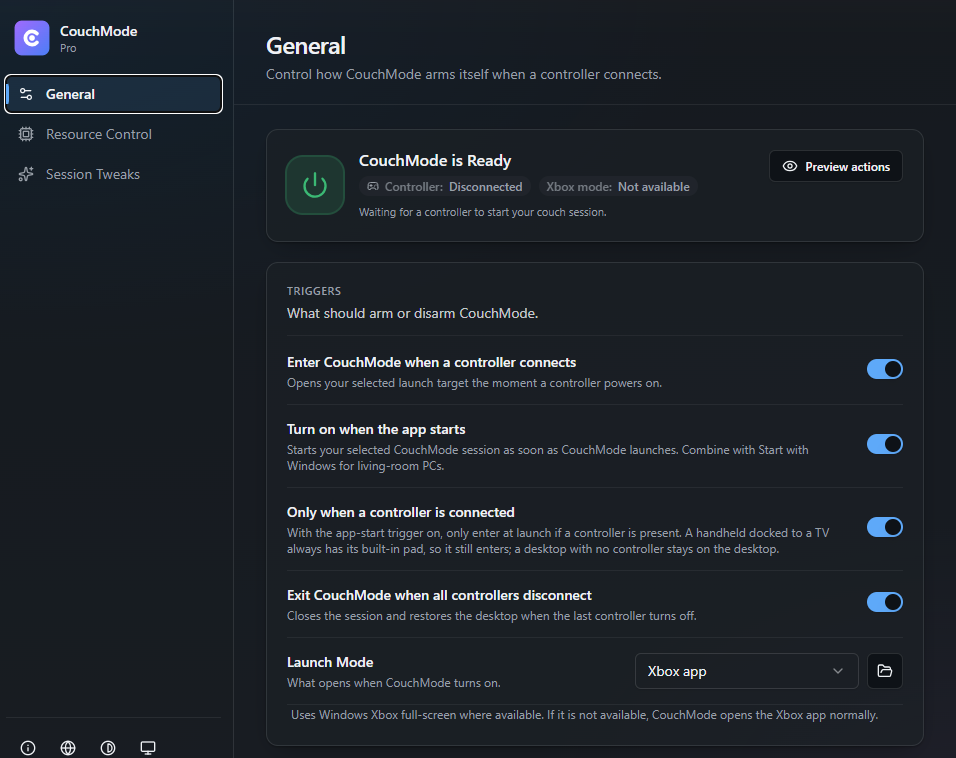
CouchMode can react when a compatible controller connects and start the gaming experience you selected.
Leaves your setup intact
CouchMode changes only the supported session settings you enable and restores the settings it changed when the session ends.
How it works
From controller to couch.
Connect a controller. CouchMode starts, prepares and ends the session for you.
- STEP 01
Turn on your controller
Wake your Xbox or compatible controller. CouchMode can listen in the background and start your couch session automatically.
Auto-detected · No app to open
- STEP 02
CouchMode opens your chosen gaming experience
Choose Steam Big Picture, Playnite, Xbox Mode where Windows supports it, or your own launcher.
Works with the launcher you already use
- STEP 03
CouchMode prepares your session
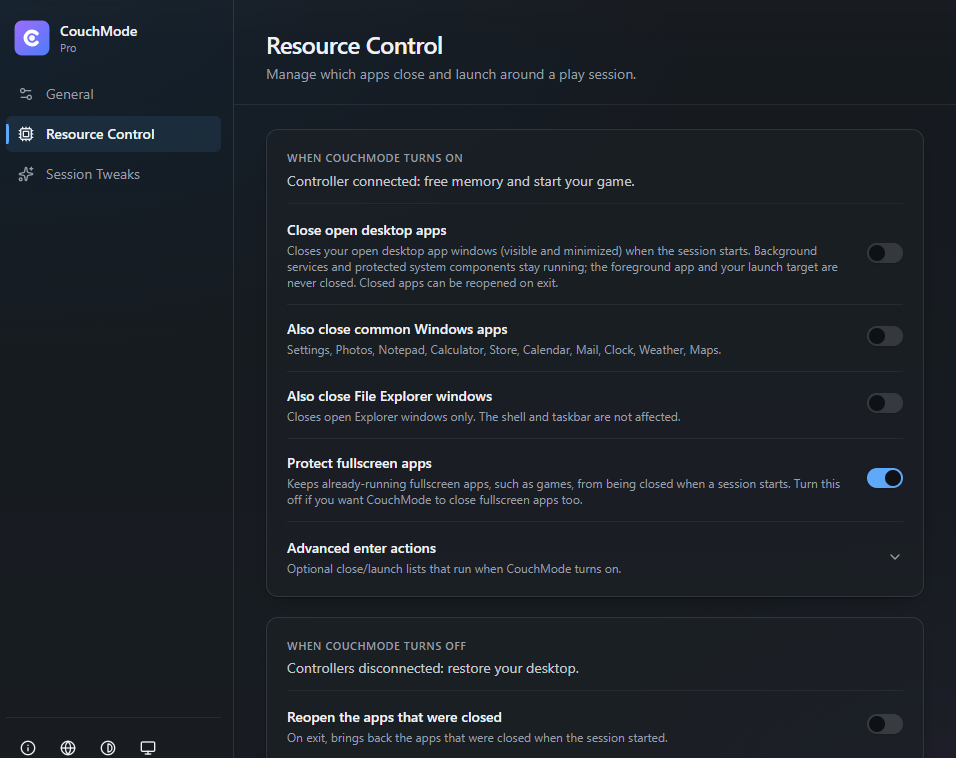
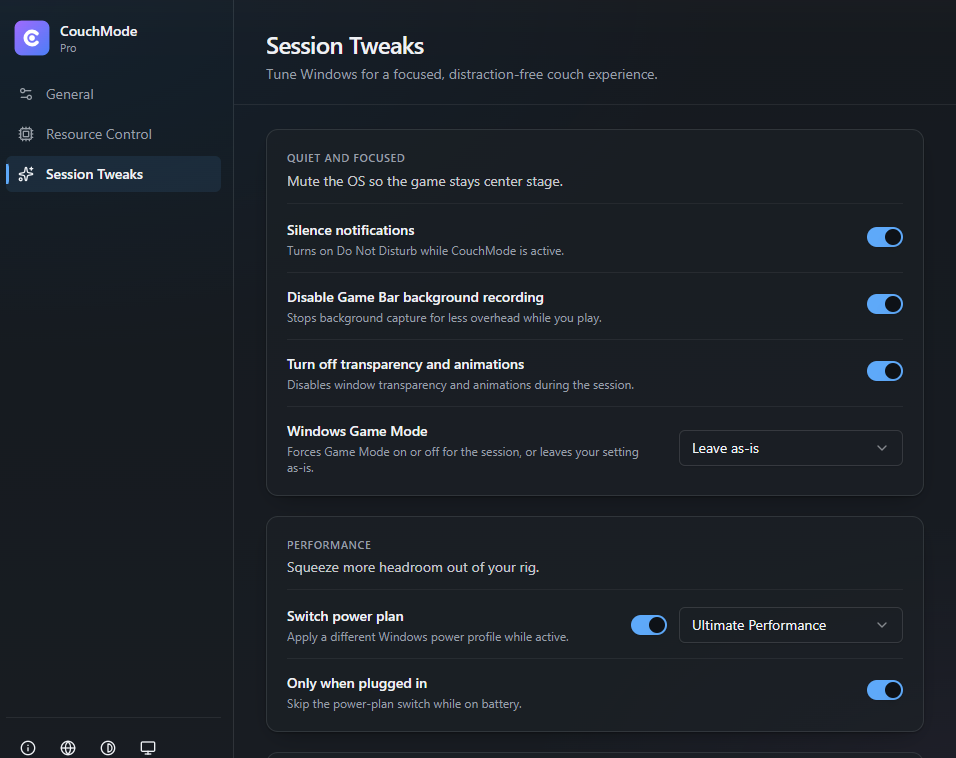
Resource Control closes the apps you selected. Session Tweaks apply the display, HDR, audio and power settings you chose.
Only the settings you enable
- STEP 04
Return to your desktop
When the session ends, CouchMode exits the gaming experience it started, restores the Windows settings it changed and returns control to the desktop.
Restoration of settings CouchMode changed
A closer look
See CouchMode in action
These are real CouchMode screens, not mockups. Select any screen to view it larger.
CouchMode is free to use. All features included.
No account, payment card or Patreon membership needed.
- Compatible controller triggers and custom launchers
- Xbox Mode where supported, Steam Big Picture and Playnite
- Resource Control for selected accessible apps
- Supported display, HDR, audio and session settings
- Restoration of settings CouchMode changed
Support CouchMode
If CouchMode helps you, you can support continued development, compatibility testing and future improvements.
Prefer a one-time thank-you? Buy Me a Coffee is a single contribution, not a membership, and does not include Patreon supporter benefits.
Windows Couch Gaming Guides
Straight answers for Playnite, Steam Big Picture, TV setups, controllers, and docked Windows handhelds.
How to Open Playnite Fullscreen with a Controller
Use Playnite's controller-ready Fullscreen mode, then optionally start it when Windows detects a compatible XInput controller. Includes existing-window and focus checks.
Updated Oct 9, 2026
How to Open Steam Big Picture with a Controller
Open Steam Big Picture with an Xbox or supported controller. Learn Steam's native option, then set up an optional CouchMode session without taking over Steam already in use.
Updated Oct 9, 2026
How to Make a Windows 11 Gaming PC Feel More Like a Console
Build a controller-first Windows 11 living-room workflow with Xbox full-screen where available, Steam Big Picture, or Playnite.
Updated Oct 9, 2026
Ready to make your PC couch-native?
Download CouchMode for Windows 11 and start your first couch session.
CouchMode supports controller-first Windows handheld setups, including devices such as ROG Ally. Where Windows provides the Xbox full-screen experience, CouchMode can start or adopt that session and return control to the desktop when the session ends. Availability and behavior depend on the device, Windows version, Xbox app support, region and Microsoft rollout.
Questions
Built for the way PC players actually start a couch session.
CouchMode is designed for Windows PCs used with a TV or in a controller-first setup. These answers explain what it can start, what it can automate, and what depends on Windows support.